Fix “No Codex IAB backends were discovered” on Windows
Codex reported “No Codex IAB backends were discovered” while its in-app browser worked. A runtime comparison traced the failure to a legacy plugin.
On this page · 10 sections
- 01The failing legacy browser-use bootstrap
- 02Discovery through another installed interface
- 03Two runtime generations were enabled
- 04The current Browser runtime connected in the same Node REPL
- 05The persistent change was one plugin setting
- 06Verify the built-in browser itself
- 07What this fix establishes
- 08A shorter investigation next time
- 09Sources
- 10Related work
The local page was visible in Codex's built-in browser. Chrome could open it too. Yet the browser automation client stopped before it could select a tab:
Error
Failed to connect to browser-use backend "iab".
No Codex IAB backends were discovered.
Where it fails
The page was available. The client used to reach it was the part that failed.
Cause
The installation still enabled an older browser-use plugin alongside the current Browser and unified Computer Use components.
Fix, in this order
Loading the current browser runtime in the same Node REPL connected successfully.
setupBrowserRuntime()We then disabled the old plugin with a one-line configuration change and verified reading, clicking, navigation, and a screenshot inside the built-in browser.
[plugins."browser-use@openai-bundled"]enabled = false
The order matters: the current runtime connected before the configuration change. Disabling the old plugin removed the source of obsolete instructions; it did not bring a dead browser process back to life.
The failing legacy browser-use bootstrap
The old plugin's instructions pointed to browser-use/0.1.0-alpha1/scripts/browser-client.mjs. Its documented initialization was:
var { setupAtlasRuntime } = await import(
  'C:/Users/<WINDOWS_USER>/.codex/plugins/cache/openai-bundled/browser-use/0.1.0-alpha1/scripts/browser-client.mjs'
);
await setupAtlasRuntime({ globals: globalThis, backend: 'iab' });
This is the failing call recorded in the investigation. It is not a setup recommendation for current installations.
- ruled out
Execution tool and client module
The Node REPL execution tool was available, the module existed, and the import reached initialization.
Shows That ruled out a missing execution tool or missing client file as the immediate failure. Reinstalling a file that was already present would not explain why this client saw no IAB backend.
- not tested
The local application
The error also happened before page inspection.
Does not show It did not establish a problem with the local application's HTTP response, JavaScript, or rendering.
Discovery through another installed interface
- found
IAB browser in
cua.getState()The unified Computer Use tool exposed
cua.getState(). Its result included a browser namedCodex In-app Browser, withtype: "iab"and session metadata matching the diagnostic task. - ruled out
An empty tab list
The diagnostic task initially had no tabs.
Shows The original application's tab belonged to another task, so its presence in the desktop UI did not mean it should appear in this task's tab list. An empty list and a missing browser are different observations.
- passed
A command from this task
We created a separate blank tab through the documented CUA API. The tool returned the blank page's accessibility state.
Shows This established that the integrated browser could accept a command from the diagnostic task.
Does not show It still did not prove that the old Node client could connect.
- matched
Session identifier
The next check compared the Node REPL's session identifier with the IAB discovery metadata. They matched.
Shows The old client's error was therefore not explained by absent session metadata in that REPL, and there was no reason to copy identifiers from another task or force ownership of its tab.
Two runtime generations were enabled
The relevant installed versions were:
- Codex desktop package
26.901.6511.0- Legacy
browser-useplugin
legacy0.1.0-alpha1- Current
browserplugin
current26.901.51231- Unified Computer Use plugin
current26.901.51231
After reproducing the documented bootstrap failure, we inspected the two installed client modules. The older module enumerated Windows named pipes under the browser-use prefix, connected to candidates, and requested browser information with getInfo(). Its discovery code discarded failed candidates before selecting a backend.
Browser-use pipes existed. Their names alone did not show whether the older client's requests could identify a compatible IAB service.
The current module used a different route: setupBrowserRuntime() called the trusted browser service exposed by the Node REPL. Its public API used agent.browsers, which lists and selects browsers, rather than the older agent.browser surface.
The simplified connection paths were:
Legacy clientfailed
setupAtlasRuntime({ backend: "iab", ... })direct named-pipe discovery and
getInfo()no IAB candidate returned
no backend
Current clientconnected
setupBrowserRuntime()trusted Node REPL browser service
agent.browsers.get("iab")this task's in-app browser
connected
Changing a method name in the old example would have missed the more substantial difference: the connection went through a different service path.
The current Browser runtime connected in the same Node REPL
A working CUA call gave us a useful lead. The stronger test was loading the current packaged client in the Node REPL where the legacy bootstrap had failed.
This initialization worked in the September 8–9, 2026 investigation. The path records the installed version tested here; check your installed Browser plugin’s instructions before using it.
var { setupBrowserRuntime } = await import(
  'C:/Users/<WINDOWS_USER>/.codex/plugins/cache/openai-bundled/browser/26.901.51231/scripts/browser-client.mjs'
);
var agent = await setupBrowserRuntime();
console.log(await agent.browsers.list());
var browser = await agent.browsers.get('iab');
console.log(await browser.documentation());
The result identified the in-app browser and returned its API documentation. We then listed its tabs, selected the test tab returned by that list, and read its title, URL, and DOM.
We had not restarted Codex, changed the task's session identifier, moved the application project, or repaired its development server. The comparison isolated the failed route to the legacy client's integration and discovery behavior.
It did not reveal the individual error discarded for every named-pipe candidate. We did not record a protocol trace proving that a particular getInfo() request was rejected for a particular reason. The evidence supports the narrower conclusion: the old discovery path failed, while the current service path worked in the same execution context.
The persistent change was one plugin setting
The configuration enabled both generations. In the Windows Codex config.toml, we changed only the older plugin's existing setting:
 [plugins."browser-use@openai-bundled"]
-enabled = true
+enabled = false
The current browser@openai-bundled and unified-computer-use@openai-bundled entries remained enabled. Other browser and computer-use entries were preserved. The write was checked against the original bytes to verify that nothing outside the target boolean changed.
This was a local configuration repair after confirming a working replacement. We did not patch the plugin's JavaScript, reinstall components, modify browser permissions, or remove the old package from disk. Reversal consists of restoring enabled = true in that same section, although doing so makes the legacy instructions available again.
The obsolete skill still existed in the already-running conversation's context. In the next turn of this diagnostic task, its refreshed skills catalog no longer listed browser-use:browser. That follow-up confirms the catalog change here. It does not show that every other open task refreshed at the same time.
Verify the built-in browser itself
The first content test used a small local HTML file. Navigation to its file:// URL was rejected by the browser's URL policy. That was a separate, explicit authorization boundary after the connection had already worked.
We left the policy unchanged and did not route around the blocked file access. Instead, we used https://example.com/, a public page containing no application or account data.
The completed checks were:
Open the example page inside the discovered IAB browser.
done
Read
Example Domainas its title andhttps://example.com/as its URL.done
Read the heading, paragraph, and
Learn morelink from the DOM.done
Click that link through the current runtime's documented locator API.
done
Read the destination at
https://www.iana.org/help/example-domains.done
Navigate back and read the original page again.
done
Save a screenshot from the in-app tab after the configuration change.
done
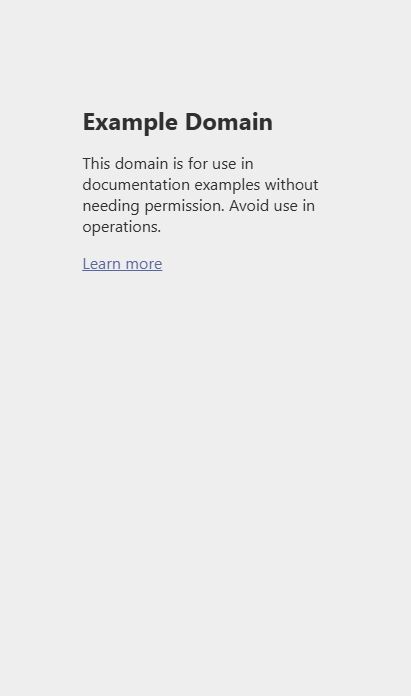
The captured page contains only the public example content. The tool's browser metadata and tab URL established that the capture came from IAB; the image alone would not identify the backend.
Chrome working was part of the original symptom, but it was not used as proof that this repair succeeded. The final DOM, interaction, navigation, and screenshot checks came from the integrated browser.
What this fix establishes
The diagnostic task regained a working connection through the current installed runtime. The legacy plugin was disabled, and the next turn's catalog stopped advertising its skill. No Codex restart was needed for those results.
The original landing-page task was kept separate. Its application source, local changes, Git state, servers, and production data were not modified during the diagnosis. We also did not rerun that task's browser workflow. A successful test in this task is not evidence that its older runtime bindings changed automatically.
This was not another WSL networking repair. The application happened to live in WSL, but the useful comparison occurred between two browser clients in the Windows Node REPL. There was no evidence requiring a new port-forwarding rule, a new process-launch directory, or another workspace alias.
The public OpenAI Browser documentation describes Computer Use operating the built-in browser and the site-permission boundary. It does not document this exact legacy-plugin failure. The diagnosis comes from the installed modules and the recorded tool results.
A shorter investigation next time
Before reinstalling browser components, I would identify the client that the task's instructions actually load, then compare it with the browser interfaces currently exposed by the application.
If the old initialization fails while another documented interface discovers IAB, I would verify the task metadata and test the current client in the same execution context. I would keep a working configuration path in place before disabling a duplicate, preserve an exact rollback, and finish with a real page read and interaction through the requested browser.
The final follow-up is a fresh turn: check which instructions it receives. Installed files, active configuration, an existing JavaScript binding, and the current tool catalog can describe different states of the same application.
Sources
This note is based on the September 8–9, 2026 diagnosis: the reproduced bootstrap error, installed plugin manifests and client modules, matching task metadata, the configuration-change receipt, browser-tool results, and the saved screenshot. Codex helped collect and cross-check the evidence.
Related work
See my Codex issue reports and reproductions for more runtime and integration debugging. View my CV or send a work inquiry.